
Back to the page installation guide.
DSR1 Setup Files for Harley-Davidson (2014-2023) GT and GTS Radios Only!
These DSR1 setup files are built for 2014 through 2023 Harley-Davidson factory radios. They include input setup, output setup, and EQ correction to help flatten the factory radio signal before final tuning.

American Hard Bag no longer sells, supports, or provides technical support for Rockford Fosgate or Rockford Fosgate products (including the DSR1). This guide is provided as legacy information only for customers who already own a DSR1. For current DSR1 technical support, firmware, app support, or hardware troubleshooting, contact Rockford Fosgate directly.
What These DSR1 Files Are For
These files are intended to make DSR1 setup faster on compatible Harley-Davidson factory radio systems. The input and output settings are already configured, and the factory EQ curve is compensated inside the DSR1.

Read This Before Downloading
- The stock-flash files are for bikes using the stock factory flash the radio came with.
- Stock-flash files are not for aftermarket radios.
- Stock-flash files are not for factory radios that have already been reflashed.
- The Rockford-flash files require the Rockford Fosgate aftermarket flash.
- The Rockford Fosgate aftermarket flash can be performed with the TechnoResearch Alaris flash tool.
- These files are provided as-is. American Hard Bag does not provide DSR1 or Rockford Fosgate technical support.
Download DSR1 Setup Files
Choose the file that matches the radio, original factory flash, aftermarket flash status, and speaker configuration of the bike.
2014–2018 Infotainment Radio — Fairing Speakers Only
For 2014 through 2018 bikes with the factory infotainment radio, no factory amplifier, and the original 2-speaker fairing-only stock flash.
Input: 2-channel
Output: 6-channel
Flash type: Stock factory flash only
2014+ Ultra — 4 Speaker, No Amp
For 2014 and newer Ultra models with the factory infotainment radio, 4 speakers, no factory amplifier, and the original stock flash.
Input: 4-channel
Output: 6-channel
Flash type: Stock factory flash only
2019–2020 GTS Radio
For 2019 through 2020 GTS touchscreen radios using the stock factory flash. This file is configured for 2-channel input and 6-channel output.
Input: 2-channel
Output: 6-channel
Flash type: Stock factory flash only
2021+ GTS Radio — Fairing Speakers Only
For 2021 and newer GTS radio bikes that came with fairing speakers only, no factory amplifiers, and the original stock flash.
Input: 2-channel
Output: 6-channel
Flash type: Stock factory flash only
Rockford Flash / Velocity Speaker Setup
This file is for factory radios that have been flashed with the Rockford Fosgate aftermarket flash. Do not use this file on a stock-flash radio.
Required flash: Rockford Fosgate aftermarket flash
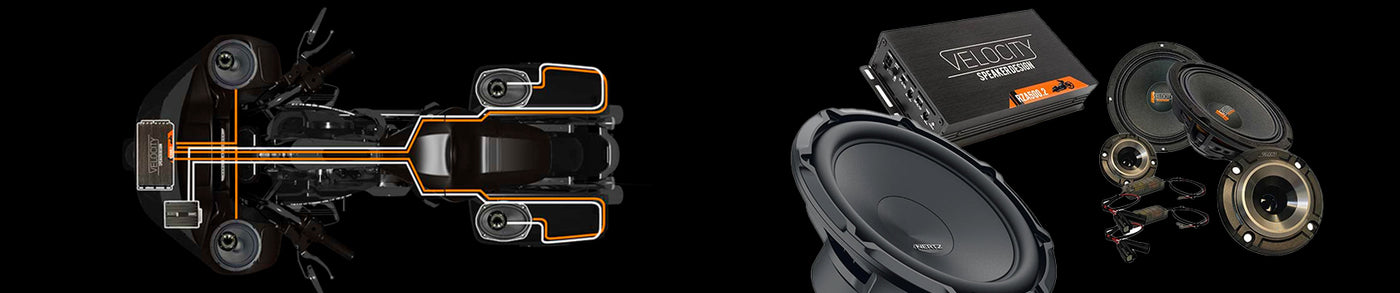
Speaker setup: Velocity RZ75H horns, MSPRO65 mids, R690 lids, and RZ75H lid horns
Velocity CoaxHorn 4-Channel Setup
This file sets up the DSR1 for Velocity CoaxHorn speaker systems using RZ65H and RZ69H speakers. It requires a factory radio that has been flashed with the Rockford Fosgate aftermarket flash.
Required flash: Rockford Fosgate aftermarket flash
Speaker setup: Velocity RZ65H and RZ69H CoaxHorn speakers
Velocity Overdrive 4-Channel Setup With Subwoofer Output
This file sets up the DSR1 for Velocity Overdrive speaker systems with a subwoofer output. It requires a factory radio that has been flashed with the Rockford Fosgate aftermarket flash.
Required flash: Rockford Fosgate aftermarket flash
Fairing setup: Velocity R65 Neo 6.5-inch speakers with RZ75H horn tweeters
Lid setup: Velocity R690 6x9 speakers with RZ75H horn tweeters
Subwoofer output: Intended for the Velocity RZ10 subwoofer
Velocity Overdrive With 4 Diamond HXM8 Bag Woofers
This file sets up the DSR1 for Velocity Overdrive fairing speakers, Velocity Overdrive lid speakers, and four Diamond HXM8 8-inch woofers in the bags. It requires a factory radio that has been flashed with the Rockford Fosgate aftermarket flash.
Required flash: Rockford Fosgate aftermarket flash
Fairing setup: Velocity Overdrive fairing speakers
Lid setup: Velocity Overdrive lid speakers
Woofer setup: Four Diamond HXM8 8-inch woofers in the bags
Rockford Fosgate Flash Requirement
The Rockford-flash tune files require the Rockford Fosgate aftermarket flash. That flash can be performed with the TechnoResearch Alaris flash tool.
Signal Harness Required
An American Hard Bag signal harness is required when using these DSR1 setup files. The factory radio outputs need to be properly loaded when feeding signal into the DSR1.
Opening Files With PerfectTune
Some phones can be fussy when opening DSR1 setup files directly into PerfectTune. If the file does not open correctly, use this workaround.
PerfectTune File Opening Workaround
- Download the setup file to your device.
- Email the file to yourself.
- Open the email on your smartphone.
- Tap the file attachment and choose PerfectTune to open it.
This workaround is provided for convenience only. We do not provide PerfectTune, DSR1, or Rockford Fosgate troubleshooting support.
Related DSR1 Guides
These setup files may help get the DSR1 configured faster, but final tuning remains the responsibility of the installer or tuner.
Back to the page installation guide